
15 AI-Powered Website Design Ideas for 2026
 by Founder @devroaks
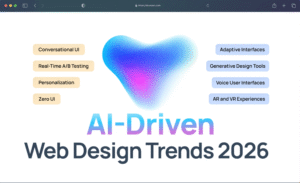
In this blog, we are exploring AI-powered website design — one of the most transformative trends shaping how businesses build digital products in 2026.
We will cover what AI-powered design actually means, the tangible benefits it delivers for startups and growing companies, and how to choose an agency that can execute it well. We will also walk you through 15 concrete design ideas you can bring to your next project, along with the top agencies helping businesses build AI-first digital experiences.
What Is AI-Powered Website Design?
AI-powered website design refers to the use of artificial intelligence — including machine learning, generative models, and real-time data analysis — to create, personalise, and continuously optimise website interfaces. Rather than building a static site that looks the same for every visitor, AI-powered sites adapt dynamically based on who is visiting, what they are looking for, and how they are behaving.
The result is a website that feels less like a brochure and more like a conversation. Content shifts based on user intent, layouts adjust to browsing habits, and call-to-action elements move to where they are most likely to convert. This is not a futuristic concept — it is how leading SaaS products and e-commerce platforms are already operating, and in 2026 it is becoming the expected standard for serious businesses.
Think of it as giving your website a brain: one that learns from every click, scroll, and session to get smarter over time.
Why AI Design Matters for Your Business in 2026
AI is no longer optional in the design conversation — it is the conversation. Here is what makes AI-powered design so important for businesses right now:
- Personalisation at Scale: Generic websites lose visitors within seconds. AI design allows you to serve customised content, product recommendations, and even personalised pricing to every user without any manual effort.
- Faster Design Iterations: AI tools can generate, test, and compare dozens of layout variants simultaneously, dramatically compressing the time it takes to find what works.
- Smarter Conversion Optimisation: Rather than running A/B tests over weeks, AI can identify underperforming elements in real time and surface better alternatives automatically.
- Reduced Costs Over Time: While the upfront investment in AI-powered design may be higher, the ongoing savings from automation, reduced bounce rates, and higher conversion value quickly offset that cost.
- Competitive Differentiation: Most of your competitors are still using static, manually updated websites. Adopting AI-powered design now puts you significantly ahead of the curve before it becomes the baseline expectation.
How AI Design Elevates User Experience
User experience is where AI design has its deepest impact. When a site can read signals — session length, scroll depth, cursor movement, return visit history — it can respond intelligently rather than presenting the same experience to a first-time visitor and a loyal customer alike.
- Predictive Navigation: AI can anticipate where a user is trying to go and surface relevant links, content, or CTAs before they have to search for them.
- Dynamic Content Blocks: Homepage sections, testimonials, and feature highlights can all rotate based on visitor industry, location, or behaviour profile.
- Accessibility Adaptation: AI can detect accessibility needs — contrast requirements, font size preferences, keyboard navigation patterns — and adjust the interface automatically.
- Conversational Interfaces: AI chatbots and virtual assistants embedded into the design layer handle support, onboarding, and lead qualification without adding friction to the experience.
- Emotion-Aware Design: Emerging tools can read engagement signals and adjust tone, imagery, and pacing to match what is resonating emotionally with a given user session.
Choosing the Right AI Design Partner
Partnering with the right agency is as important as the idea itself. Not every design studio is equipped to work at the intersection of AI and UX, and choosing poorly here can cost you months of wasted development time. Here is how to evaluate your options:
- AI-Native Experience: Look for agencies that have built AI-integrated products before — not ones that are adding AI to their existing workflow as an afterthought. Ask to see specific examples.
- End-to-End Capability: The best partners can handle strategy, design, development, and post-launch optimisation under one roof. Fragmented handoffs between different vendors introduce risk.
- Data and Analytics Integration: AI design is meaningless without the analytics infrastructure to feed it. Make sure your partner can instrument your product properly from day one.
- Startup Fluency: Startups operate differently from enterprises. Your partner needs to understand fast timelines, tight budgets, and the need to pivot quickly without unravelling the design system.
- Transparent Process: AI design involves a lot of experimentation. A good agency will be upfront about what they are testing, why, and what the results mean — not just deliver a finished product and disappear.
What to Look for in an AI-First Design Agency
Beyond general criteria, there are specific markers of an agency that truly understands AI-first design:
- Proprietary Tooling or Deep Tool Fluency: Do they have their own design automation workflows, or do they use AI tools like Galileo AI, Framer AI, or Figma’s AI features with genuine expertise? Either is valid — but surface-level familiarity is not.
- Focus on Systems, Not Just Screens: Great AI design is built on scalable design systems that can adapt across contexts. An agency that delivers one-off screens without a system is not set up for AI integration.
- Cross-Functional Teams: AI-powered design requires designers, engineers, and data scientists to work together. Agencies that silo these roles will struggle to deliver cohesive outcomes.
- Post-Launch Partnership: The best AI design improves after launch, not just before. Find a partner who offers ongoing engagement rather than a hand-off model.
- Clear Measurement Frameworks: They should be able to tell you exactly how they will measure the impact of AI design decisions — not in vague terms, but in specific metrics tied to your business goals.
AI Website Design Agency Comparison (2026 Overview)
| Company | Specialisation | Key Services | Clutch Rating | Headquarters |
|---|---|---|---|---|
| Devroaks | AI Integration, UI/UX, Web & Mobile Development | AI-Powered Design, SaaS Development, MVP Builds | 4.9 | Remote-First / Global |
| Wavespace | UI/UX Design, MVP Development, SaaS | UX/UI Design, SaaS Dashboard, Branding | 4.9 | San Francisco, Berlin, Sydney |
| Ueno | Brand, Design, Web Experiences | Creative Direction, Motion Design, Web Build | 4.8 | New York, NY |
| Huge Inc. | Digital Strategy, AI Experience Design | CX Strategy, AI Integration, Design Systems | 4.7 | Brooklyn, NY |
| Ultranoir | Immersive Web Design, Creative Tech | 3D Web, AI Interactions, Brand Experiences | 4.8 | Paris, France |
| Work & Co | Product Design, Digital Strategy | AI UX, Design Systems, Digital Products | 4.9 | Brooklyn, NY |
| DesignStudio | Branding, Product Design | Brand Identity, AI-Ready Design Systems | 4.8 | London, San Francisco |
| Locomotive | Creative Web Development | Scroll Experiences, AI Animation, Web Builds | 4.7 | Québec, Canada |
| Fantasy | Product Design, AI Interfaces | AI UX Design, Product Strategy, Motion | 4.9 | New York / Los Angeles |
| Clay | UI/UX, Branding, Web Design | SaaS Design, AI Product Design, Brand | 4.9 | San Francisco, CA |
What are the top AI website design agencies?
Here are the top agencies pushing AI-powered website design forward in 2026:
- 1. Devroaks
- 2. Wavespace
- 3. Clay
- 4. Fantasy
- 5. Work & Co
- 6. Huge Inc.
- 7. DesignStudio
- 8. Ueno
- 9. Ultranoir
- 10. Locomotive
1. Personalised Hero Sections Powered by Visitor Data
Design Idea: Dynamic, intent-aware homepage hero blocks
The hero section is the single most important real estate on your website — and it is also the one place most companies serve identical content to every visitor. AI changes this completely. By reading referral source, device type, geographic location, and previous visit history, an AI-powered hero block can display a headline, subheading, and CTA that speaks directly to that specific visitor’s context.
A startup visitor arriving from a Product Hunt launch sees a “just launched” message with a free trial CTA. An enterprise buyer arriving from LinkedIn sees a case study lead and a demo booking prompt. The visual design stays consistent — the copy and offer layer adapts in real time.
- Best For: SaaS products, e-commerce, B2B platforms with diverse buyer segments
- Key Tools: Mutiny, Intellimize, custom Webflow + API integrations
- Design Consideration: Build a modular hero component that supports content variables without requiring layout changes
- Impact on Conversion: Personalised heroes can lift conversion rates by 20–40% compared to static equivalents
2. AI-Generated On-Brand Illustration Systems
Design Idea: Consistent, generative visual languages trained on your brand
Custom illustration has always been a hallmark of premium brand identity — but creating a scalable illustration system is expensive and slow. AI now allows teams to fine-tune generative image models on a curated set of brand-consistent visuals, then generate new illustrations on demand that maintain the same colour palette, line weight, and stylistic DNA.
The result is a brand that can produce visual content at ten times the speed without losing coherence. Blog posts, feature pages, and social assets all draw from the same generative pool — branded, on-demand, and endlessly scalable.
- Best For: Startups and SaaS companies that publish content frequently
- Key Tools: Midjourney fine-tuning, Stable Diffusion LoRA models, Adobe Firefly
- Design Consideration: Train your model on a curated set of at least 50–100 high-quality reference images before deploying
- Impact on Brand: Reduces illustration production time by up to 80% while maintaining visual consistency
3. Conversational Onboarding Flows
Design Idea: Chat-native onboarding that replaces traditional forms and wizards
Traditional sign-up flows are a conversion graveyard. Multi-step forms, dropdown menus, and progress bars feel like paperwork. Conversational onboarding replaces this with a dialogue — a friendly, AI-driven interface that walks new users through setup with natural language prompts, progressively asking only what is needed based on what the user has already revealed.
Rather than a ten-field form, the user answers three conversational questions and the AI fills in the rest using inferred context. Completion rates for conversational onboarding consistently outperform traditional form flows by a significant margin.
- Best For: SaaS platforms, fintech apps, digital service businesses
- Key Tools: Typeform Conversational AI, custom LLM-powered chat flows, Voiceflow
- Design Consideration: Keep a visual progress indicator even within the chat format — users still want to know how close they are to the finish line
- Impact on Retention: Completed onboarding is the single strongest predictor of long-term retention; conversational flows improve completion by 30–60%
4. Predictive Search with Contextual Suggestions
Design Idea: Search interfaces that anticipate intent before the query is finished
Standard search is reactive — the user types, results appear. Predictive AI search is proactive — it surfaces contextually relevant suggestions before the user has even finished typing, drawing on their history, current session behaviour, and patterns from similar users. It feels less like using a search engine and more like having a knowledgeable colleague who already knows what you need.
For documentation sites, product catalogs, and knowledge bases, this dramatically reduces time-to-answer and frustration-driven abandonment.
- Best For: E-commerce, SaaS documentation, content-heavy platforms
- Key Tools: Algolia AI Search, Elastic Search with ML, custom embeddings-based search
- Design Consideration: Surface up to five predictive suggestions maximum — beyond that, cognitive load increases and the feature becomes a distraction
- Impact on Engagement: Reduces average search-to-result time by up to 65%
5. Adaptive Pricing Pages
Design Idea: Pricing layouts that restructure based on company size and intent signals
A pricing page seen by a solo freelancer and a procurement team at a 500-person company should not look the same. AI-adaptive pricing pages detect visitor profile signals — company size from enrichment tools, job title, geographic market, pricing plan browsing behaviour — and restructure the presentation accordingly. The most relevant tier is highlighted, the most persuasive comparison point is foregrounded, and the CTA is calibrated to the buying stage.
- Best For: SaaS products with tiered or usage-based pricing models
- Key Tools: Clearbit Reveal, Mutiny, custom API-driven component logic
- Design Consideration: Always keep the full pricing table accessible — adaptive defaults should help, not hide
- Impact on Revenue: Adaptive pricing pages consistently produce higher average contract value than static equivalents
6. AI-Assisted Dark Mode with Semantic Awareness
Design Idea: Intelligent dark/light mode switching that accounts for content type, not just preference
Dark mode has become a user expectation, but most implementations are blunt — a colour inversion toggle that applies the same treatment everywhere. AI-assisted theming adds semantic awareness: editorial reading contexts stay light for legibility, dashboard views switch dark to reduce eye strain during long sessions, and marketing pages adapt to ambient light sensor data where available. The user gets a cohesive experience that genuinely serves their context rather than a one-size-fits-all toggle.
- Best For: SaaS platforms, content publishing tools, developer-facing products
- Key Tools: CSS custom properties + JavaScript context detection, system media queries, ambient light API
- Design Consideration: Design both themes from scratch — do not auto-generate dark mode from your light theme
- Impact on UX: Properly implemented adaptive theming reduces reported eye strain and increases average session length
7. Motion Design Driven by User Behaviour
Design Idea: Animations that respond to individual user patterns, not just scroll position
Standard scroll-triggered animations are a good start, but they treat every user identically. Behaviour-responsive motion design takes it further: a first-time visitor gets a fully animated introductory experience that explains the product hierarchy through motion. A returning power user who navigates directly to the dashboard gets a stripped-back experience with minimal animation overhead. The interface reads who is in the room and adjusts accordingly.
- Best For: SaaS products, creative agencies, interactive marketing sites
- Key Tools: Framer Motion, GSAP, session-flagged CSS class injection
- Design Consideration: Always respect the prefers-reduced-motion accessibility setting regardless of behaviour profile
- Impact on Engagement: Personalised motion experiences increase time-on-page by an average of 25% for new visitors
8. Real-Time Content Summarisation for Long-Form Pages
Design Idea: AI-generated TL;DR blocks that update dynamically based on reading progress
Long-form landing pages, documentation, and blog posts contain enormous value — but busy readers rarely make it to the end. Embedding an AI summarisation layer that generates a live summary of the sections a user has already scrolled past creates a “catch-up” mechanism that keeps readers oriented without requiring them to scroll back up. It is particularly powerful for technical documentation and research-heavy product pages.
- Best For: SaaS documentation, long-form content sites, research-driven product pages
- Key Tools: OpenAI API with streaming, Anthropic Claude API, custom scroll-position tracking
- Design Consideration: Position the summary panel in a persistent sidebar rather than inline — it should supplement reading, not interrupt it
- Impact on Comprehension: AI summaries increase content comprehension scores by up to 40% in user testing
9. Generative UI for Empty States
Design Idea: AI-populated placeholder content that gives new users an immediate sense of product value
Empty states are one of the most underinvested surfaces in SaaS design. A new user who sees a blank dashboard with a “get started” prompt feels nothing — there is no context for what the product can actually do. Generative UI for empty states populates the interface with realistic, AI-generated sample data that reflects the user’s own industry or use case, giving them an immediate and visceral sense of what the product looks like when it is working. This dramatically shortens the time-to-value experience.
- Best For: SaaS dashboards, analytics tools, project management platforms
- Key Tools: LLM-generated seed data via API, Faker.js for structured data, industry-tagged content templates
- Design Consideration: Label generated content clearly as sample data — transparency builds trust, deception destroys it
- Impact on Activation: Products with rich empty states see 50% higher activation rates within the first session
10. AI-Powered Accessibility Overlays
Design Idea: Intelligent accessibility adaptation that goes beyond contrast checkers and ARIA labels
Accessibility tools have historically been reactive — they scan for errors after the fact. AI-powered accessibility overlays are proactive: they detect the user’s interaction patterns (keyboard navigation, screen reader usage, zoom preferences) and adapt the interface in real time. Font sizes increase, focus indicators become more prominent, and complex interactive components are simplified — all without the user having to manually configure anything.
- Best For: Public-facing products, government-adjacent platforms, consumer apps with broad audiences
- Key Tools: AccessiBe, AudioEye, custom ML-based behaviour detection
- Design Consideration: AI accessibility overlays are a supplement to proper accessible design — not a substitute for building accessibly from the ground up
- Impact on Reach: Accessible products reach 15% more of the global user population
11. Voice-First Navigation Layers
Design Idea: Voice command interfaces layered over traditional navigation for power users
Voice navigation is no longer confined to smart speakers. Progressive web applications are increasingly embedding voice command interfaces that allow power users to navigate, filter, and execute actions without touching a mouse or keyboard. The visual design supports this with a persistent voice input indicator, spoken command history, and on-screen confirmation of voice-triggered actions — creating a multimodal experience that serves both visual and voice-first users simultaneously.
- Best For: Developer tools, enterprise dashboards, productivity applications
- Key Tools: Web Speech API, Whisper AI, custom NLU routing layers
- Design Consideration: Always provide visual fallback for every voice action — never design a flow that only works via voice
- Impact on Power User Retention: Voice-capable tools see significantly higher retention among daily active users
12. Intelligent Image Cropping and Composition
Design Idea: AI that automatically frames and composes images based on layout context
The same image needs to work in a hero banner, a blog card thumbnail, a social share preview, and a mobile header. Traditional cropping means either maintaining multiple image versions manually or accepting awkward automatic crops. AI-powered image composition detects the focal point of any image and applies context-aware cropping that always frames the subject correctly, regardless of the aspect ratio or layout it is placed into. The result is a consistently polished visual experience with zero manual image preparation overhead.
- Best For: Content-heavy platforms, e-commerce, media and publishing sites
- Key Tools: Cloudinary AI, Imgix Smart Crop, Google Vision API with custom crop logic
- Design Consideration: Define focal point rules for your brand’s specific content types — product shots, portraits, and landscapes need different cropping priorities
- Impact on Production Speed: Eliminates the need for manual image resizing across format variants
13. Predictive Exit Intent with Personalised Recovery Offers
Design Idea: Exit intent overlays that surface relevant content rather than generic discount codes
Exit intent popups have a reputation problem — they are universally deployed as discount code dispensers that feel cheap and desperate. AI-powered exit intent is a different proposition entirely. By analysing what the user has viewed, how long they spent on each section, and where they paused, the AI identifies the most likely objection and surfaces a recovery offer that directly addresses it. A user who spent three minutes on the pricing page but did not convert gets a case study relevant to their industry. A user who browsed the features page but never scrolled to the CTA gets a live demo prompt.
- Best For: SaaS conversion optimisation, e-commerce, lead generation sites
- Key Tools: Custom behaviour tracking + LLM offer selection, Optimizely, Convertflow
- Design Consideration: Cap recovery overlays at one per session — repeated interruptions actively damage trust
- Impact on Abandonment: Contextually relevant exit intent can recover 10–15% of sessions that would otherwise bounce without converting
14. AI-Driven Micro-Copy Optimisation
Design Idea: Continuously tested button labels, error messages, and helper text driven by language model feedback loops
Micro-copy — the small words on buttons, tooltips, error states, and input field labels — has an outsized effect on conversion and user experience. Most teams write micro-copy once and forget it. AI-driven micro-copy optimisation runs continuous language experiments across these surfaces, testing alternative phrasings against real user behaviour and surfacing the highest-performing variants automatically. The system learns which language patterns resonate with specific user segments and applies that learning across the entire interface.
- Best For: SaaS products, checkout flows, form-heavy applications
- Key Tools: Statsig, custom LLM variant generation + analytics integration
- Design Consideration: Establish brand voice guardrails before deploying automated micro-copy optimisation — AI needs constraints to maintain tone consistency
- Impact on Conversion: Optimised micro-copy can lift form completion rates by 15–25%
15. Generative Onboarding Walkthroughs
Design Idea: Product tours that generate themselves based on a new user’s stated goals
Traditional product walkthroughs follow a fixed sequence — the same tour for every user, regardless of what they are trying to accomplish. Generative onboarding flips this: the user states their primary goal in their own words at the start of setup, and the system builds a customised walkthrough that highlights only the features relevant to achieving that specific goal. A user who wants to build a client report sees a different tour from one who wants to set up automated alerts — even though they are using the same product.
This approach eliminates the most common failure mode of product walkthroughs: showing users features they do not need, creating cognitive overload, and triggering early churn before the user ever discovers the core value of the product.
- Best For: Multi-use-case SaaS platforms, complex B2B tools, enterprise software
- Key Tools: LLM-driven tour sequencing, Userflow, Appcues with conditional logic
- Design Consideration: Always let users skip or edit the walkthrough path — generative flows should feel helpful, not restrictive
- Impact on Activation: Goal-matched onboarding consistently produces 2x higher activation rates compared to fixed-sequence tours